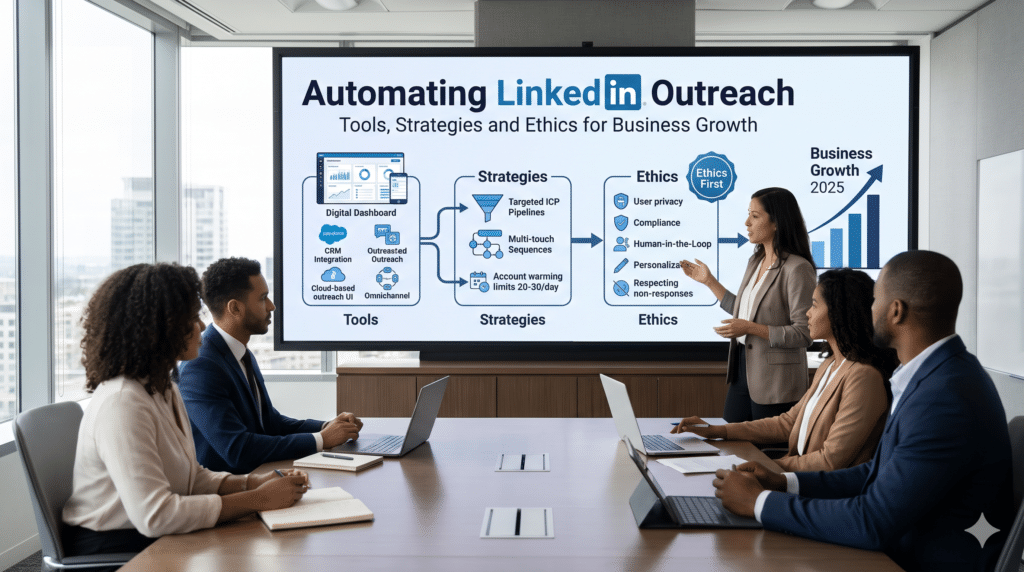
Introduction
LinkedIn has become one of the most valuable platforms for professional networking, B2B marketing, business development, recruitment, and lead generation. It allows businesses to connect with decision-makers, entrepreneurs, marketing professionals, business owners, and potential clients across industries.
However, building meaningful professional relationships takes time. Finding the right prospects, researching their businesses, preparing personalised messages, maintaining follow-ups, and managing conversations can become challenging when handled manually.
This is where LinkedIn outreach automation can help.
By using the right tools and workflows, businesses can streamline prospect research, organise leads, prepare personalised messages, schedule follow-up tasks, and measure campaign performance.
But there is an important distinction: automation should improve productivity without violating LinkedIn’s rules, compromising privacy, or turning professional networking into spam.
In this article, we will explore LinkedIn outreach automation tools, practical strategies, ethical considerations, and how businesses can build a sustainable outreach system.
1. What Is LinkedIn Outreach Automation?
LinkedIn outreach automation refers to using software, artificial intelligence, and structured workflows to simplify repetitive activities involved in professional networking and lead generation.
These activities may include:
- Identifying potential customers and business partners.
- Researching target companies and decision-makers.
- Organising prospect information.
- Preparing personalised connection messages.
- Creating follow-up reminders.
- Managing leads through a CRM.
- Analysing outreach performance.
- Preparing content for professional engagement.
For example, a web development agency looking for international clients may want to connect with business owners, marketing managers, startup founders, and e-commerce companies.
Instead of managing every activity through scattered spreadsheets and notes, the agency can use a structured workflow to research prospects, prepare relevant messages, track responses, and manage follow-ups.
The objective is not to send thousands of automated messages. It is to make every professional interaction more relevant and efficient.
2. Why Businesses Need LinkedIn Outreach
LinkedIn outreach can support several business objectives.
A. B2B Lead Generation
Businesses can identify professionals and organisations that may need their products or services.
For example, a digital agency can approach:
- Startup founders.
- Small and medium-sized business owners.
- Marketing directors.
- E-commerce managers.
- IT consultants.
- Business development professionals.
B. International Client Acquisition
LinkedIn provides opportunities to build professional connections beyond geographical boundaries.
A web development company in India can identify businesses in the United States, United Kingdom, Canada, Australia, and other markets.
C. Partnership Development
Outreach can help businesses identify potential:
- Technology partners.
- Marketing agencies.
- Consultants.
- Resellers.
- Business associates.
- Industry collaborators.
D. Personal Branding
Consistent professional engagement helps individuals establish credibility, share expertise, and build industry relationships.
E. Recruitment and Talent Networking
Recruiters and organisations can use LinkedIn to identify relevant professionals, understand career backgrounds, and build talent networks.
3. Essential Tools for LinkedIn Outreach
The right tools depend on your objectives, budget, business size, and compliance requirements.
The following tools can support different stages of the outreach process.
A. LinkedIn Sales Navigator
LinkedIn Sales Navigator is designed for sales professionals and B2B teams.
Its features include:
- Advanced lead and account search.
- Industry and company filters.
- Saved leads and accounts.
- Lead recommendations.
- Account and decision-maker insights.
- Alerts about relevant prospect activity.
- InMail capabilities, subject to subscription limits.
It is particularly useful for identifying relevant decision-makers rather than approaching random LinkedIn users.
B. HubSpot CRM
HubSpot helps businesses organise leads and manage their sales pipeline.
Useful features include:
- Contact management.
- Company records.
- Lead tracking.
- Sales pipeline management.
- Follow-up tasks.
- Email tracking and reporting.
- Sales activity management.
HubSpot can also work with LinkedIn Sales Navigator through supported integrations. Depending on the subscription and integration, sales representatives can access LinkedIn insights and create tasks for manual LinkedIn interactions.
C. Google Sheets
Google Sheets is a simple and affordable way to maintain a prospect database.
Businesses can record:
- Prospect name.
- Company name.
- Job designation.
- Industry.
- Country.
- LinkedIn profile URL.
- Business website.
- Potential requirements.
- Outreach status.
- Last interaction.
- Next follow-up date.
For freelancers, startups, and small agencies, a well-organised spreadsheet can be a useful starting point.
D. Make
Make is a workflow automation platform that connects different business applications.
It can help automate external processes such as:
- Creating CRM records.
- Updating lead status.
- Sending internal notifications.
- Organising approved prospect information.
- Generating follow-up reminders.
- Preparing outreach drafts for review.
Use it for permitted business workflows rather than automating prohibited interactions on LinkedIn.
E. Zapier
Zapier connects applications and automates repetitive tasks.
For example, a business can create a workflow that adds a new enquiry from a website form to a CRM and notifies the sales team.
F. Claude and ChatGPT
AI assistants can support LinkedIn outreach by helping businesses:
- Research publicly available company information.
- Identify relevant service opportunities.
- Prepare personalised message drafts.
- Improve professional communication.
- Create follow-up templates.
- Summarise prospect requirements.
- Develop different outreach approaches.
AI-generated content should always be reviewed by a human before it is sent.
Important: These tools do not provide permission to scrape LinkedIn, extract member data, or automate LinkedIn interactions. Always check the platform’s current terms and the specific integration permissions.
4. How to Build an Effective LinkedIn Outreach Workflow
A successful outreach system begins with a clear process.
The following workflow can help businesses organise their lead-generation activities.
Step 1: Define Your Ideal Customer Profile
Before contacting anyone, identify the type of business or professional you want to reach.
For a web development agency, an ideal customer profile could include:
| Parameter | Example |
|---|---|
| Industry | E-commerce, consulting, education |
| Company size | Small and medium-sized businesses |
| Target designation | Founder, CEO, Marketing Manager |
| Geography | USA, UK, Canada, Australia |
| Business requirement | Website development, SEO, maintenance |
| Customer objective | Improve digital presence and generate leads |
A clearly defined customer profile reduces irrelevant outreach.
Step 2: Identify Relevant Prospects
Use LinkedIn’s native search features or Sales Navigator to identify professionals who match your customer profile.
Research their:
- Professional designation.
- Company website.
- Industry.
- Business activities.
- Publicly shared professional content.
- Possible business requirements.
Focus on relevance rather than collecting the largest possible number of profiles.
Step 3: Prepare a Structured Lead Database
Maintain a central record of prospects in Google Sheets or a CRM.
Suggested lead statuses:
- Identified
- Research Pending
- Draft Prepared
- Awaiting Approval
- Contacted Manually
- Accepted
- Replied
- Follow-up Required
- Interested
- Not Interested
- Closed
This helps the team understand the status of every prospect.
Step 4: Prepare Personalised Messages
AI can help prepare an initial message based on relevant professional information.
For example, instead of sending:
“Hello, we provide website development services. Are you interested?”
Prepare a more contextual message:
“Hello [First Name], I came across [Company Name] and found your work in the [Industry] space interesting. I work with businesses on website development and digital optimisation. I would be glad to connect and exchange professional insights.”
The message should be genuine, concise, and relevant.
Never invent a personal connection, claim to have reviewed a website when you have not, or use inaccurate information to create artificial familiarity.
Step 5: Review and Approve Messages
Before sending any outreach message, check:
- Is the prospect relevant?
- Is the information accurate?
- Does the message offer genuine value?
- Is the tone professional?
- Is the message personalised?
- Is there a clear reason for contacting the person?
A human should make the final decision to send the message.
Step 6: Manage Follow-ups
Follow-ups should be thoughtful and respectful.
A CRM or spreadsheet can remind the sales representative to review a conversation and decide whether another message is appropriate.
Do not send repeated messages simply because an automation system has scheduled them. Respect silence, rejection, and requests not to be contacted.
Step 7: Measure Results
Review the performance of your outreach activities.
Important metrics include:
- Relevant prospects identified.
- Connection acceptance rate.
- Genuine response rate.
- Positive response rate.
- Qualified leads generated.
- Meetings booked.
- Proposals requested.
- Clients acquired.
The purpose of measurement is to improve relevance and business outcomes, not maximise message volume.
5. LinkedIn Outreach Automation: What Can and Cannot Be Automated?
This is one of the most important aspects of LinkedIn automation.
LinkedIn restricts unauthorised third-party software and browser extensions that scrape data, modify its website, or automate activities such as sending invitations, messages, and engagement actions.
Businesses should distinguish between external workflow automation and automation that directly interacts with LinkedIn.
| Activity | Recommended Approach |
|---|---|
| Maintaining a lead database | Use Google Sheets or a CRM |
| Researching target companies | Use legitimate search and research tools |
| Preparing message drafts | Use AI with human review |
| Creating follow-up reminders | Automate through a CRM |
| Tracking sales opportunities | Use CRM workflows |
| Scheduling internal tasks | Use Make or Zapier |
| Sending connection requests through bots | Avoid |
| Automatically sending LinkedIn messages | Avoid unauthorised automation |
| Scraping LinkedIn profiles | Avoid |
| Automatically liking, commenting, or sharing | Avoid unauthorised automation |
The safest approach is to automate the preparation and organisation of outreach while keeping LinkedIn interactions under human control or using explicitly authorised platform features.
6. Ethical Considerations in LinkedIn Outreach
Automation is not just a technical decision. It is also a matter of professional responsibility.
A. Respect Privacy
A person’s professional profile should not be treated as unrestricted permission to collect, store, or reuse their personal information.
Collect only information that is necessary for a legitimate business purpose.
B. Avoid Spam
Sending identical messages to hundreds of professionals damages trust and can harm your brand reputation.
Focus on relevant, personalised communication.
C. Be Transparent
Do not pretend to have personally researched a prospect when the message was generated using AI or prepared through a template.
Avoid fake identities, misleading claims, and artificial personalisation.
D. Respect User Preferences
If someone declines an offer or requests no further contact, respect that decision.
Maintain an appropriate suppression or do-not-contact record in your CRM.
E. Protect Customer and Prospect Data
Use secure storage, restrict access to prospect databases, and establish appropriate retention and deletion practices.
F. Avoid Manipulative Techniques
Do not use false urgency, fabricated testimonials, misleading statistics, or exaggerated business claims to influence prospects.
Professional outreach should be based on honesty and mutual value.
7. LinkedIn Outreach and Data Protection in India
Businesses operating in India should also consider applicable privacy and data protection requirements.
The Digital Personal Data Protection Act, 2023, and the Digital Personal Data Protection Rules, 2025 establish a framework for responsible handling of digital personal data.
Relevant principles include:
- Transparency in data processing.
- Purpose limitation.
- Data minimisation.
- Appropriate security safeguards.
- Accountability.
- Respect for applicable individual rights.
The precise obligations and commencement dates of different provisions should be checked before implementing a data collection or outreach system.
For businesses targeting international prospects, other privacy and marketing laws may also apply depending on the location of the recipient and the nature of the communication.
Important: This article provides general business guidance, not legal advice. Businesses should obtain appropriate legal guidance for their specific outreach activities.
8. How AI Can Improve LinkedIn Outreach
Artificial intelligence can make outreach more relevant without requiring automated messaging bots.
A. Prospect Research
AI can help summarise information from legitimate sources about a company, its industry, services, and publicly available business activities.
B. Personalised Message Drafting
AI can prepare different message versions based on:
- Industry.
- Job designation.
- Company size.
- Business requirements.
- Geographic market.
- Service offering.
C. Lead Qualification
AI can help classify prospects based on their apparent relevance to your services.
For example:
| Lead Category | Description |
|---|---|
| High Priority | Strong match with your services |
| Medium Priority | Potential requirement, needs further research |
| Low Priority | Limited relevance |
| Not Suitable | Outside your target market |
These classifications should be reviewed by a human and should not rely on sensitive or speculative personal attributes.
D. Follow-up Drafting
AI can prepare a polite follow-up message based on the previous conversation.
Example:
“Hello [First Name], I wanted to follow up on my earlier message. If improving your website or digital presence is a priority for your business, I would be happy to share a few relevant suggestions. No worries if this is not currently on your agenda.”
E. Campaign Analysis
AI can help analyse outreach reports and identify:
- Which industries respond positively.
- Which services attract interest.
- Which messages generate meaningful conversations.
- Which prospects become qualified leads.
9. Practical LinkedIn Outreach Message Templates
Here are some examples that businesses can adapt for professional communication.
Template 1: Connection Request
“Hello [First Name], I came across your professional profile and found your work in [Industry] interesting. I would be glad to connect and exchange insights.”
Template 2: After Connection Acceptance
“Thank you for connecting, [First Name]. I work in [Your Industry/Service Area] and enjoy connecting with professionals working in [Relevant Industry]. Looking forward to staying in touch.”
Template 3: Business Introduction
“Hello [First Name], I noticed that [Company Name] operates in the [Industry] sector. We help businesses with website development, SEO, and digital optimisation. If these areas are relevant to your current plans, I would be happy to share some ideas.”
Template 4: Value-Based Follow-up
“Hello [First Name], I wanted to share a quick suggestion that may be relevant to your business. A well-optimised website can improve user experience and support lead generation. If this is an area you are exploring, I would be happy to discuss it.”
Template 5: Polite Closing Message
“Thank you for your time, [First Name]. I understand this may not be a priority at the moment. I appreciate the connection and wish you continued success.”
These templates should be adapted to the actual prospect and sent only when appropriate. Avoid repeatedly contacting people who do not respond.
10. Building a LinkedIn Outreach System for a Digital Marketing Agency
A digital marketing agency can use a structured outreach process to acquire clients in domestic and international markets.
For example, an agency offering web design, SEO, WordPress development, and website maintenance can follow this model:
| Stage | Activity | Suggested Tool |
|---|---|---|
| Targeting | Define industries and customer profiles | LinkedIn Sales Navigator |
| Research | Review relevant company information | LinkedIn and company websites |
| Lead management | Record prospects and status | Google Sheets or HubSpot |
| Personalisation | Prepare relevant message drafts | Claude or ChatGPT |
| Approval | Review and approve each message | Human review |
| Outreach | Send approved messages manually | |
| Follow-up | Create reminders | CRM or Make |
| Reporting | Review leads and conversions | Google Sheets or CRM |
Example: International Client Acquisition
Suppose a web development agency wants to approach small and medium-sized businesses in the United States.
The agency can:
- Define its target industries.
- Identify relevant business owners and decision-makers.
- Research company websites and publicly available business information.
- Record suitable prospects in a CRM.
- Use AI to prepare personalised message drafts.
- Review each draft for accuracy and relevance.
- Manually send approved connection requests or messages.
- Record responses and follow-up requirements.
- Arrange meetings with interested prospects.
- Measure qualified leads and business conversions.
This approach creates a repeatable process without relying on prohibited LinkedIn automation.
11. Common Mistakes to Avoid
Businesses should avoid these common mistakes when implementing LinkedIn outreach:
1. Sending too many connection requests: High-volume, irrelevant outreach can damage account credibility and trigger platform restrictions.
2. Using generic messages: Prospects are more likely to ignore messages that contain no relevant context.
3. Purchasing scraped databases: Unverified contact information can create privacy, accuracy, and compliance risks.
4. Automating every interaction: Professional networking requires judgement and genuine conversation.
5. Ignoring responses: Outreach should be a two-way communication process.
6. Making unrealistic promises: Avoid exaggerated claims about rankings, revenue, or guaranteed business results.
7. Using AI without verification: AI can generate inaccurate company details or misleading statements.
8. Ignoring LinkedIn policies: A tool’s availability in the market does not mean its use is permitted by LinkedIn.
12. A Practical 30-Day LinkedIn Outreach Implementation Plan
Businesses can begin with a manageable, quality-focused outreach programme.
| Period | Main Activities |
|---|---|
| Days 1–5 | Define target audience, services, and ideal customer profile |
| Days 6–10 | Set up CRM and create a prospect research process |
| Days 11–15 | Prepare message templates and approval guidelines |
| Days 16–20 | Begin personalised, human-reviewed outreach |
| Days 21–25 | Review responses and follow up appropriately |
| Days 26–30 | Analyse performance and improve the process |
The focus should be on relevance, relationship-building, and qualified opportunities rather than arbitrary daily message targets.
Conclusion: Build Smarter and More Ethical LinkedIn Outreach with TechsterTech
LinkedIn outreach can be an effective business development strategy when supported by the right tools, research, and communication practices.
Automation can save time, improve lead organisation, simplify follow-up management, and support personalised communication. However, it should never come at the cost of privacy, authenticity, or platform compliance.
The most effective approach combines AI-assisted research, structured CRM management, human-reviewed communication, and meaningful professional engagement.
At TechsterTech, we help businesses strengthen their digital presence through professional web design, web development, SEO, WordPress solutions, website optimisation, e-commerce development, website maintenance, and IT consultancy.
If your business wants to build a stronger digital presence, improve lead generation, or create an effective online client acquisition strategy, TechsterTech can help.
Work smarter. Connect meaningfully. Grow your business ethically.
Visit TechsterTech or Get Started Now.